
- Procedural Showcase -
Tools:


Duration:
4 months
Team Size:
1 (solo)
Procedural Generation
Customization
Unity
C#
Project Description:
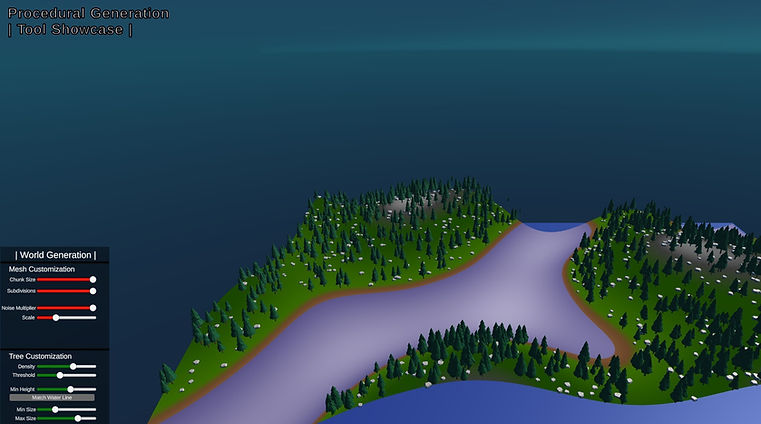
A showcase of my programming project focused on using Perlin Noise and various customizable parameters to create a procedurally generated world.
My Role:
Over the course of a semester, I chose the programming topic of procedural generation to research and create a project that explored that topic. I would put time into both pushing changes to a repository and documenting my progress each week.
Research & Prototyping
Before going right into Unity, I researched the topic of procedural generation and learned about the important terminology and relevant subjects that I needed to know. I also identified any potential problems I foresaw with programming such a topic as It helped me understand and prepare for what I was getting into.

Perlin Noise
Reference Material - Minecraft
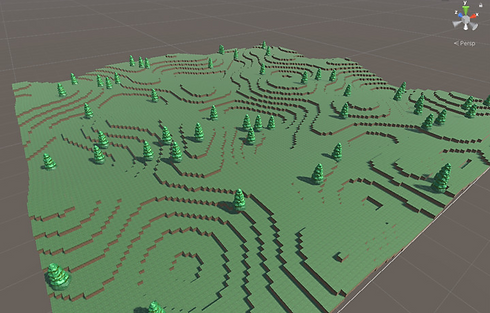
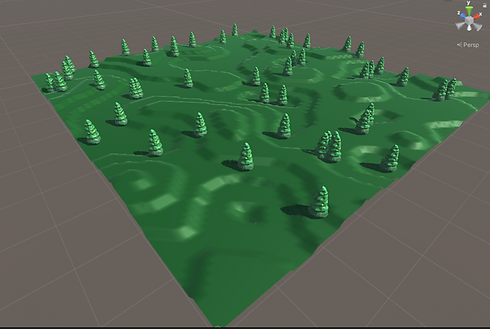
Rapid prototypre's of cubes converted to mesh
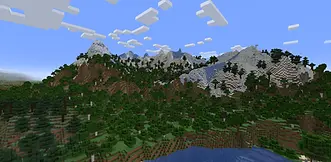
Once I had a basic understanding of what I would like to create which was to make terrain with Perlin noise, I made a rapid prototype to further my understanding of how it worked through scripting. I made a simple grid of cubes that used Perlin noise, resulting in smooth height variation similar to that of Minecraft, as this was one of my references during the research process.
Though it was not practical to continue generating such a high number of cubes, it helped me understand the process and plan for how I would move forward. Additionally, once I was done prototyping I was able to determine what aspects of the topic I should focus on, what is in/out of scope, and any unknowns that I should become more familiar with.
40
40
Milestones
Milestone #1
My main focus for the first milestone was to get the functionality of the world generation to a point where the necessary components were working and some customization options were available to manipulate the world. My reasoning behind this was so that I could have a solid system working that could be easily expanded upon when it came to the next milestone as I could continue furthering the customization features.
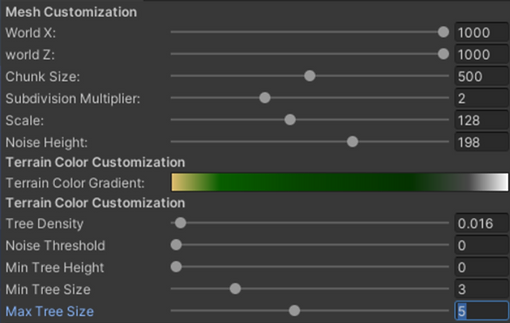
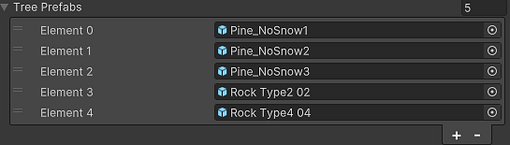
By this point, the project consisted of a procedural mesh that was generated differently every time using Perlin noise and an array of trees (or any object) that also uses noise to scatter across the terrain naturally. Additionally, there are multiple variables that can be customized to change the outcome of the terrain/object placement and color. I continued adding customization options to give the user more control over their desired world.
To generate everything smoothly, I split up the functionality of each aspect into its own script and created a main script that would reference methods in the correct order. This was very useful in having a clear and expandable system.
World Generation | Customizable Values

Expandable Script System

Example of Generated World
Milestone #2 - Final Project
Since most of the functionality was implemented, I focused on adding/wrapping up the project features and formatted the project to act as an accessible showcase of the work and customization options I implemented.
In terms of presentation, I created a UI system that would consist of sliders and buttons to give the user an intuitive way of customizing their world. Additionally, I added an option to switch to a player mode which would allow the user to explore their world and go back to tweak values if wanted.
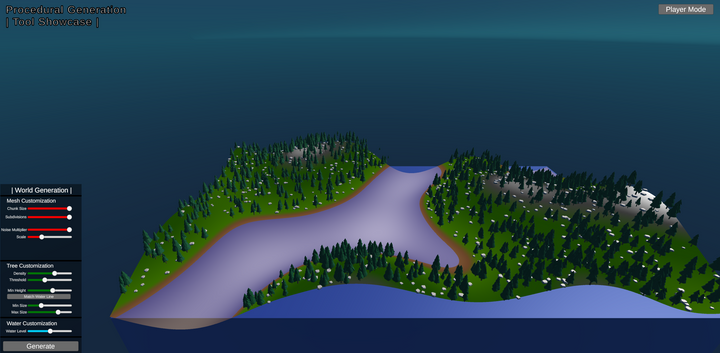
Preview / Customization Mode
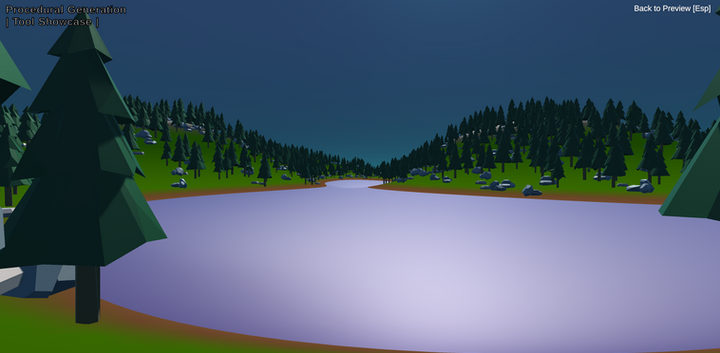
Player Mode
Documentation
To keep track of my work and showcase my progress on this project, I made a Miro board to lay out what I did each week and explain how I went about implementing features. For each week, I decided to list out my objectives of the week, a summary of how things went, and a walkthrough of the most prominent aspects I added to the project. This helped me not only as a record of my work but also allowed me to stay organized and reinforce my understanding of the work I did by explaining it in words.

Click to open link to the miro board used for my project documentation
Personal Takeaways
-
Improved my ability to research any topic to assist me in programming it
-
Reinforced my understanding of Unity and C# while also pushing me to learn new things about them.
-
Allowed me to go through a thorough process of documenting and developing a complete project for an audience.
Showcase
Video showcase of the project's customization features
